
Friend Tracker: Find a Phone
AppNationsLifestyle
4.4445.00 Reviews
- Version
- 2.9.2
- Installs
- 1.00M
- Age Rating
- Teen
Screenshots
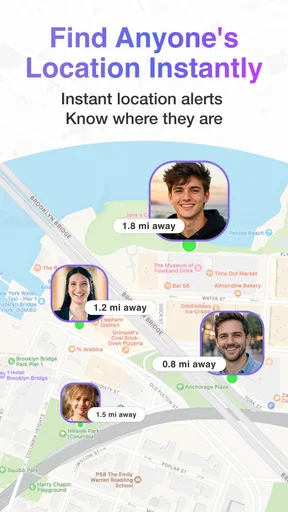
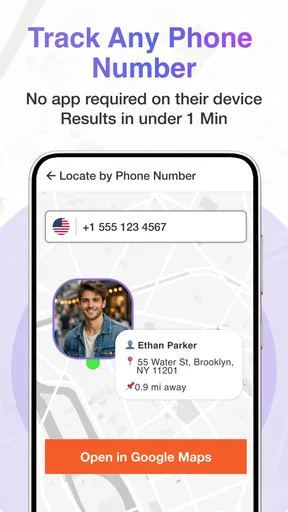
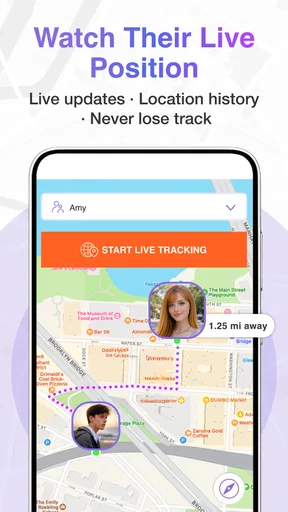

Our Review of Friend Tracker: Find a Phone
 Analysis by Appyee
When coordinating with family or friends, knowing someone’s location can be useful—but only when everyone involved understands and agrees to the arrangement. Friend Tracker: Find a Phone is a lifestyle app from Ads Station built around shared location, with a Teen content rating. I find the idea most appealing for practical, agreed-on check-ins, rather than constant monitoring. Its usefulness depends not just on the map, but on whether the people using it are comfortable sharing their whereabouts.
Getting Started with Friend Tracker
First things first, downloading the app is a breeze. Available on both Android and iOS, just a quick search in your respective app store, and you're good to go. The installation is straightforward, even for those who might not be tech-savvy. Once you open it, the app greets you with a clean and intuitive interface.
Setting up the app requires you to create an account, which is pretty standard. You can either sign up with your email or link it with your social media accounts. It’s quite seamless and doesn’t require too many hoops to jump through. After that, you need to invite the people you want to track. They have to accept your request, ensuring privacy is respected.
Readability and navigation
The app is aimed at people who want a direct way to check a shared location, rather than a complicated family dashboard. That focus can make the basic task easier to understand: open the app, look for the person who has agreed to share, and use the map as a point of reference. The interface is described as clean, but a simple layout is not automatically easy for everyone. If you find maps, small controls, or busy screens difficult to use, try the main task yourself before relying on it for an important routine.
Friend Tracker is free to install, and it has a 3.9 average from around 3,000 ratings, alongside 401 written reviews. Those figures suggest that many people have tried it, but they cannot tell you whether the current experience will suit your needs. It has reached over 500,000 installs, which indicates interest in this kind of location-sharing tool. The current version is 2.7.6, and it requires Android 7.0 or later. If you are choosing it for a household, check that everyone’s devices can run it before asking them to set up accounts.
Motor and sensory considerations
Location sharing is most helpful when checking it takes little effort. For someone who has limited dexterity, a workflow that involves repeated map gestures, precise tapping, or moving through several screens can become tiring. I would treat the first setup as a practical test: can each person accept the invitation, find the shared map, and understand what they are looking at without someone else taking over? A family member may be comfortable with the idea but still need help with the initial steps.
Sensory needs matter too. A map can be visually dense, and location details may be harder to interpret than a simple message such as “I’ve arrived.” If a person has low vision, gets overwhelmed by visual information, or prefers audio or text instructions, this app may not be the clearest way for them to communicate. Pairing it with an agreed text or call can make the overall routine more inclusive, rather than expecting every person to use the map in the same way.
Situational access and everyday use
A realistic use case is a parent and a teenager agreeing to share location during a walk home. Instead of repeatedly asking for updates, the parent can check whether the journey is progressing, while the teenager knows who can see the location and why. Another practical example is a group meeting in an unfamiliar area: a shared location can help people find one another without sending several rounds of directions. In both cases, the app works best as a supplement to conversation, not a replacement for it.
There are important limits to that convenience. A phone may not be with its owner, and a map position should not be treated as proof that someone is safe or available. If a location appears unexpected, I would check in directly before drawing conclusions. For urgent situations, use the appropriate local emergency service rather than relying on a consumer tracking app. That distinction helps keep a useful coordination tool from being mistaken for a safety guarantee.
For a household, a little planning can prevent confusion later. Agree on who is invited, when sharing is useful, and how someone can ask for privacy or pause participation. If you are setting this up for a child, explain the purpose in plain language and revisit the arrangement as they grow. If the app is being used among friends, make sure invitations are mutual and that nobody feels pressured to accept just to join a plan.
Where it fits among alternatives
Compared with sending a one-off location pin in a messaging app, a dedicated tracker is more suited to people who expect to check shared whereabouts repeatedly. A pin is often enough for meeting someone once; ongoing sharing can be less convenient to arrange through separate messages. On the other hand, if your group only needs occasional coordination, a message and a meeting point may be simpler and easier to understand.
Built-in location sharing on a phone may also be a better fit for people who want to keep their tools within an existing device ecosystem. The choice comes down to the group: Friend Tracker is worth considering when the people involved are willing to use a separate app for shared location, while a familiar messaging service may be preferable for occasional use or for someone who dislikes adding another account. The key question is not which option has the most features, but which one every participant can use comfortably and consensually.
Features that Stand Out
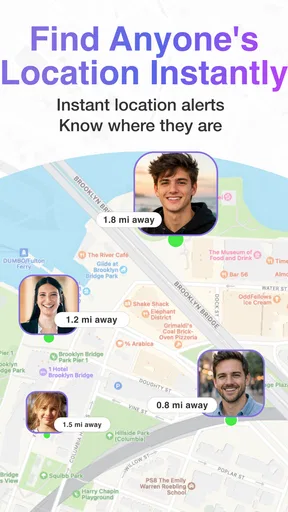
One of the features that I found particularly useful is the real-time location tracking. You can see exactly where your friend or family member is at any given moment. It's updated frequently, so there's no lag, which is incredibly reassuring.
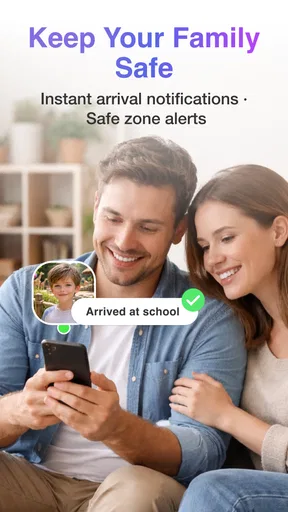
Another cool feature is the geofence alerts. You can set up specific zones on the map, like your home or your kid's school, and get notified whenever someone enters or leaves these areas. It’s like getting a little nudge saying, "Hey, your kid just left school." This feature is a huge relief for parents who want to ensure their child's safety.
And let's not forget about the location history. You can view where your friends have been throughout the day. It's not just for the curious; it’s practical for figuring out daily routines or ensuring someone got to their destination safely.
Those tools call for a careful approach. A useful tip is to decide in advance what each one is for: a zone alert might help with a specific school-run routine, while checking history may be unnecessary for a simple meetup. Avoid turning every notification into a demand for explanation. Location history can reveal patterns, so using it only when there is a clear shared purpose is more respectful than treating it as a way to audit someone’s day.
User Experience
The app runs smoothly with minimal battery drain, which is a godsend because nobody wants their phone dying halfway through the day. The design is sleek and user-friendly, making navigation a piece of cake. It doesn't bombard you with ads either, which is a nice change of pace in the app world.
One thing I’d point out is the necessity of an internet connection for real-time tracking. While this is understandable, it can be a bit limiting if you're in an area with spotty service. However, this is a minor hiccup in an otherwise stellar user experience.
That connection dependency is worth considering before a trip through areas with unreliable coverage. If a person’s location stops updating, I would not assume that they have deliberately stopped sharing or that something has gone wrong; connectivity can affect what the map shows. Agree on a fallback, such as sending a message when service returns or choosing a clear meeting point. This small step makes the app less likely to create anxiety when it cannot provide a fresh location.
The app is free to download, but it includes in-app purchases priced from $10.99 to $59.99 per item. I would check the purchase screen carefully before committing to anything and decide whether the free experience already covers the group’s needs. A paid option is not automatically necessary just because the app offers one; for occasional check-ins, it may be sensible to start with the basic use and only consider a purchase if a specific need justifies it.
Privacy and remaining barriers
In today's digital age, privacy is a significant concern. Friend Tracker takes this into account by allowing users to control who can see their location. You're not just broadcasting your whereabouts to the world. The app also promises not to share your data with third parties, which is reassuring. However, as always, it's wise to read through the privacy policy to be fully informed.
Consent needs to remain meaningful after setup. An accepted invitation should not be treated as permanent permission for every future use, especially if someone’s circumstances change. I recommend checking in with the group from time to time about whether sharing still feels useful. For a person who depends on another family member to navigate apps, make sure they can express a preference without pressure and know whom to contact if the arrangement no longer feels right.
There are also practical barriers beyond privacy. A person without a compatible device, a stable connection, or confidence using maps may not get the same benefit as the person who set up the group. Before making this part of a family routine, consider whether everyone can access it independently. If not, a phone call, a regular check-in message, or a shared meeting point may be more reliable and fair.
The Teen content rating is another reason to think about who will use the app and how. Parents should explain location sharing rather than presenting it as an invisible safeguard, and adults using it with friends should keep the arrangement voluntary. Ads Station is the developer, and the app’s lifestyle focus is a useful fit for everyday coordination, but the label does not change the need for clear boundaries between the people sharing and viewing locations.
Who should choose it—and who should skip it
I can see this app suiting families or small friend groups that already agree to share locations and want a dedicated place to check them. It is particularly relevant when plans involve repeated journeys or when several people need to coordinate around familiar places. If what you want is occasional help finding a meeting spot, a one-time location message may involve less setup and less ongoing access.
I would skip it if anyone in the group feels coerced, if a participant cannot comfortably use the map, or if you need a dependable emergency-monitoring system. It is also a poor match for someone who wants to avoid another account or does not want their movements visible to others. In those situations, a direct check-in or a different tool that the whole group already understands is likely to be a better choice.
Final Thoughts
All in all, Friend Tracker: Find a Phone is a handy tool for anyone looking to keep tabs on their loved ones without being intrusive. It’s packed with features that are both functional and easy to use. Whether you're a parent wanting peace of mind or a friend trying to coordinate a hangout, this app makes it all a bit easier.
So, if you’ve been searching for a reliable way to track your friends or family, give this app a shot. It’s like having a digital buddy in your pocket, always ready to guide you to the ones you care about most.
My inclusive verdict is that this app can make shared-location routines easier when the map is understandable, the devices are compatible, and everyone genuinely wants to participate. It is not equally accessible in every situation, and a location feed cannot replace a conversation or a practical backup. Try the core workflow together first, settle on clear boundaries, and keep a simpler check-in option available for anyone who finds the map, account setup, or connection requirements difficult.
Verdict
Strengths of Friend Tracker: Find a Phone
- Real-time location tracking is highly accurate.
- User-friendly interface enhances usability.
- Battery usage is optimized for longer tracking.
- Allows setting up location alerts and notifications.
- Supports cross-platform functionality seamlessly.
Limitations of Friend Tracker: Find a Phone
- Privacy concerns due to constant location sharing.
- Limited free features; most require a subscription.
- Occasional lag in updating real-time location.
- In-app ads can be intrusive at times.
- Requires continuous internet connection to function.
Other Releases by AppNations
View All
Kanvo: AI Art & Photo Studio
Art & Design3.8
Similar Picks in This Category
View All
SmartThings
Samsung Electronics Co., Ltd.4.6

Google Home
Google LLC4.0

Pinterest4.2

Astrotalk - Talk to Astrologer
Astrology & Horoscope4.7

My Verizon
Verizon Consumer Group4.5

Samsung Wallet (Samsung Pay)
Samsung Electronics Co., Ltd.4.1
Frequently Asked Questions
How does Friend Tracker: Find a Phone work?
Friend Tracker: Find a Phone uses GPS technology to locate and track the position of smartphones. Users need to install the app on their device and grant necessary permissions. Once set up, you can easily view the real-time location of friends or family members who have also installed the app and shared their location with you.
Is Friend Tracker: Find a Phone safe and secure to use?
Yes, Friend Tracker prioritizes user privacy and security. The app requires explicit consent from all parties involved before tracking can occur. Data is encrypted and never shared with third parties. Users have control over who can view their location and can disable tracking at any time through the app settings.
Do I need an internet connection for Friend Tracker to work?
Yes, an internet connection is necessary for Friend Tracker to function properly. The app relies on GPS and internet connectivity to provide real-time location updates. However, data usage is minimal, and most modern smartphones are equipped to handle the app’s requirements seamlessly.
Can I track multiple devices with Friend Tracker?
Absolutely, Friend Tracker allows you to track multiple devices simultaneously. You can add friends or family members to your tracking list, provided they have installed the app and shared their location with you. This feature is ideal for keeping tabs on a group during outings or events.
What are the main features of Friend Tracker: Find a Phone?
Friend Tracker offers several key features, including real-time GPS tracking, location history, and alerts for specific locations. Users can set geofencing alerts to receive notifications when someone enters or leaves a designated area. Additionally, the app offers a user-friendly interface, making it simple to navigate and manage contacts.
